
[2026 Edition] Parental consent form download page
[As of April 2, 2026]in,Junior and senior high school students and those under 18 years of age(Including students before entering university) to register as an APCC volunteer.Parental consent form (2 types)) is required.
If the parental consent form has not been submitted or if the submitted consent form is incomplete,I can't participate in volunteer activities.please note.
<How to submit>
1. Download and print the two types of "Parental Consent Forms" below.
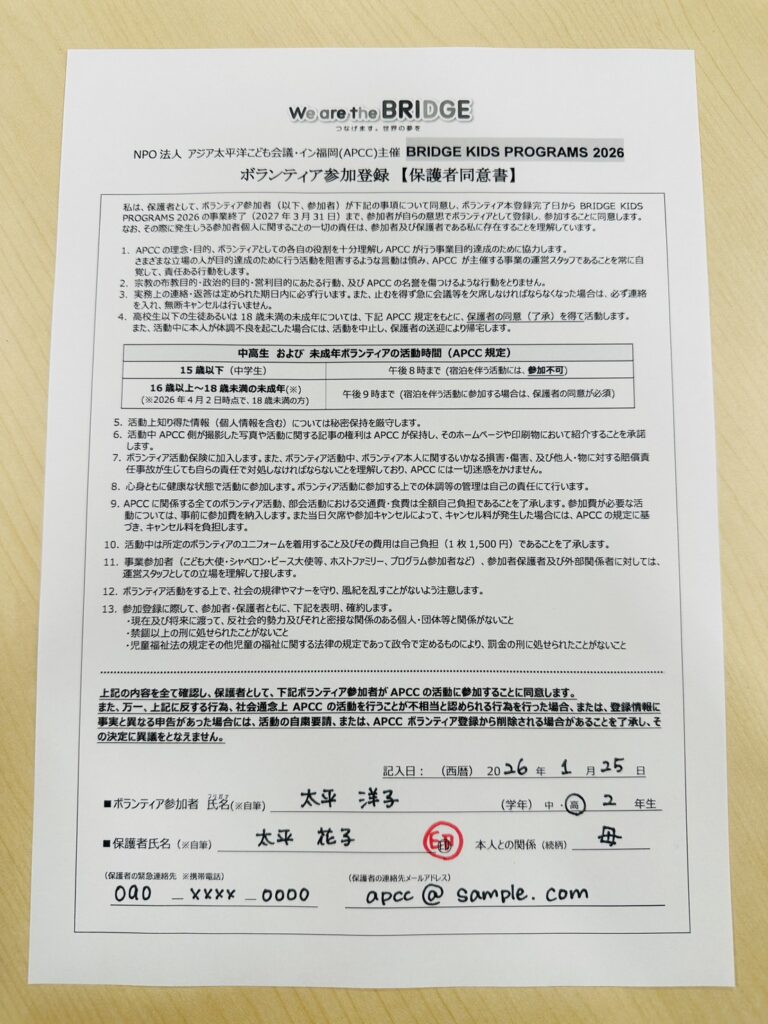
★[Parental consent form] Volunteer participation registration
★[Parental consent form] Personal information protection policy/regulations
2. Fill in the required information.
※Parent signature sectionMust be a guardianPlease have the applicant sign and stamp the form (we cannot have someone else sign it for you).
3. Signed and stamped parental consent formTake a photo of each.
*Please take a photo of each consent form so that the entire form is clearly visible (see below).
[Important] Points to note when preparing images
The photo data format is:JPG, PNG, PDFIn recent years, there have been many cases where images are uploaded in the iPhone-specific format called "HEIC." Therefore, if you are uploading from an iPhone, please be sure to pay attention to the following points when attaching the image.
[For iPhone] Go to "Settings" > "Camera" > "Format""Compatibility priority (JPG)" Check that it is set to
4. Upload the photo taken on "Google Form" for new registration/re-registration.
*Upload format: JPG, PNG, PDF only